> For the complete documentation index, see [llms.txt](https://docs.veilnyx.com/llms.txt). Markdown versions of documentation pages are available by appending `.md` to page URLs; this page is available as [Markdown](https://docs.veilnyx.com/use-veilnyx-web-app/features/creating-and-setting-up-a-shielded-account.md).
# Creating and setting up a shielded account
To create and set up a shielded account, users need to **set up a shielded account** before they can make the first deposit. The shielded account is the user’s private wallet where transactions will be confidential. A user creates a shielded account using their existing non-custodial wallet (e.g., Metamask, Coinbase, Rainbow, Wallet Connect, or a hardware wallet like Ledger). All users need to set up a shielded account before making their first deposit. The shielded account is the user’s private wallet where transactions remain confidential. A user can create a shielded account using their existing non-custodial wallet (e.g., MetaMask, Coinbase, Rainbow, WalletConnect, or a hardware wallet like Ledger).**Steps:**
1. To set up a shielded account, users simply connect using their existing non-custodial wallet. With one click, the shielded account will be created.
Supported wallet
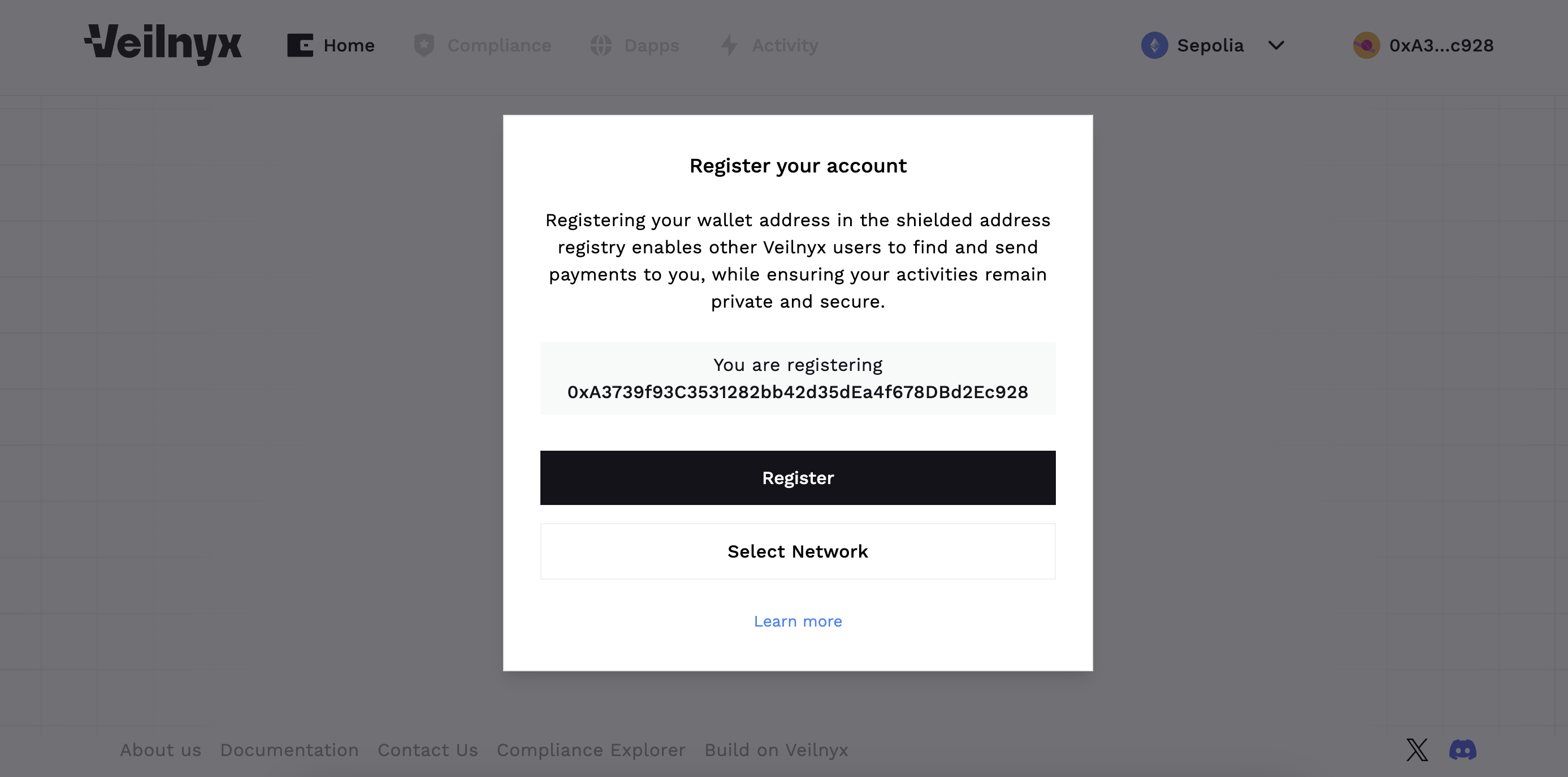
2. After connecting your wallet for the first time, you will be prompted to register your address. This allows others to look up your shielded address using your regular EVM address or ENS, enabling them to send you funds privately.
Register your shielded account in Veilnyx registry
3. A revoker is already selected for involuntary compliance. A revoker cannot decrypt your transactions directly and must operate through the decentralized compliance framework. You can read more about how the compliance system works here. Once the revoker is confirmed and you click the finish button, your shielded account will be ready to use.
To recover a shielded account, you can use the private key or seed phrase of your existing public wallet.
---
# Agent Instructions
This documentation is published with GitBook. GitBook is the documentation platform designed so that both humans and AI agents can read, navigate, and reason over technical content effectively. Learn more at gitbook.com.
## Querying This Documentation
If you need additional information that is not directly available in this page, you can query the documentation by asking a question.
Perform an HTTP GET request on the following URL with the `ask` and `goal` query parameters:
```
GET https://docs.veilnyx.com/use-veilnyx-web-app/features/creating-and-setting-up-a-shielded-account.md?ask=&goal=
```
`ask` is the immediate question: it should be specific, self-contained, and written in natural language.
`goal` is what the user is ultimately trying to achieve, the reason they need the answer. Sharing it helps GitBook give you a better, more relevant answer. A goal is most helpful when it describes the outcome the user wants rather than restating the question. For example, with `ask=how do I create an API token`, a goal like `automate deployments from our CI pipeline` lets GitBook tailor the answer to that use case.
The response will contain a direct answer to the question and relevant excerpts and sources from the documentation.
Use this mechanism when the answer is not explicitly present in the current page, you need clarification or additional context, or you want to retrieve related documentation sections.